
Artificial intelligence has rapidly transformed the way people work, learn, and create. From brainstorming ideas and conducting research to writing content and organizing complex projects, AI-powered platforms are becoming essential productivity tools. However, not all AI platforms are designed in the same way. Many rely on traditional chat interfaces, while newer solutions aim to provide more visual, structured, and collaborative workflows.
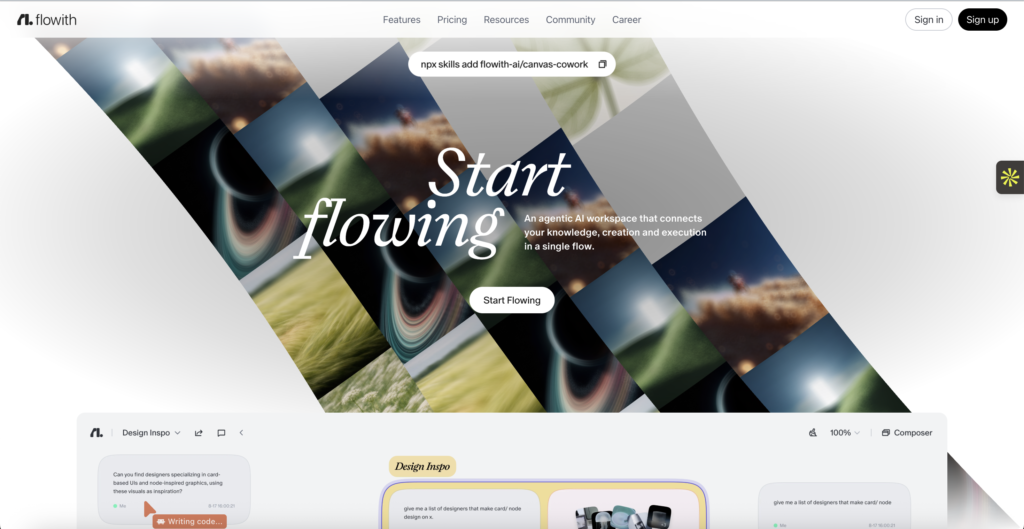
Flowith is an AI-powered productivity and knowledge workspace that helps users research, brainstorm, write, and manage complex ideas using an interactive visual canvas. Rather than limiting users to a single conversation thread, Flowith enables multi-threaded AI workflows where ideas, documents, and research can be organized visually. Designed for creators, students, researchers, entrepreneurs, and professionals, the platform aims to make working with AI more intuitive and efficient.
In this Flowith Review, we’ll explore the platform’s features, workspace design, AI capabilities, user experience, pricing, customer support, and overall value to help you decide whether Flowith is the right AI productivity platform for your workflow.
About Flowith
Flowith is an AI-native workspace built around the idea that complex thinking often requires more than a simple chat window. The platform introduces a visual canvas where users can develop multiple conversations, connect ideas, and organize research without losing context.
Instead of repeatedly starting new chats, users can build interconnected workflows that evolve alongside their projects. This makes Flowith particularly useful for long-form research, strategic planning, creative ideation, and knowledge management.
Its modern interface is designed to reduce information overload while encouraging structured thinking.
What Makes Flowith Different?
Unlike traditional AI assistants that rely on linear conversations, Flowith emphasizes visual organization and parallel thinking.
Some of its key capabilities include:
- AI-powered visual workspace
- Multi-threaded conversations
- Research assistance
- Writing and editing support
- Brainstorming tools
- Knowledge organization
- Project planning
- Document creation
- Collaboration features
- Workflow management
This approach allows users to explore multiple ideas simultaneously without losing track of previous work.
AI Workspace
The visual workspace is one of Flowith’s defining features.
Instead of scrolling through long chat histories, users can create interconnected AI nodes that represent different ideas, questions, or research topics.
This structure makes it easier to:
- Organize complex projects
- Compare multiple approaches
- Expand research logically
- Connect related ideas
- Build long-term knowledge bases
The visual layout is especially valuable for projects involving multiple stages or large amounts of information.
AI Writing and Content Creation
Flowith supports a wide variety of writing tasks.
Users can leverage AI to assist with:
- Articles
- Blog posts
- Reports
- Business documents
- Emails
- Marketing copy
- Research summaries
- Creative writing
- Presentation outlines
Rather than generating isolated responses, the platform allows users to continuously refine and expand content within the same visual workspace.
Research and Knowledge Management
Flowith is particularly useful for research-heavy workflows.
Its AI can help users:
- Explore new topics
- Summarize information
- Organize research findings
- Compare concepts
- Develop structured notes
- Generate ideas
- Plan projects
The ability to maintain multiple research branches simultaneously makes it easier to manage complex subjects without constantly switching between conversations.
Collaboration Features
For teams and collaborative projects, Flowith provides shared workspaces that allow multiple users to contribute to the same project.
Collaboration features support:
- Shared idea development
- Team brainstorming
- Knowledge sharing
- Project organization
- Document collaboration
These capabilities make the platform suitable for businesses, agencies, research groups, and creative teams.
Website Experience
The Flowith website is modern, visually appealing, and easy to navigate.
Visitors can:
- Learn about platform features
- Explore use cases
- Review pricing plans
- Create an account
- Access documentation
- Read product updates
The clean interface reflects the platform’s focus on productivity and intuitive design.
User Experience
Flowith’s interface differs from traditional AI chatbots by encouraging visual thinking instead of sequential conversations.
The platform is designed to help users:
- Stay organized
- Navigate large projects
- Reduce repetitive prompts
- Maintain context across tasks
- Develop ideas more naturally
While there may be a slight learning curve for users accustomed to standard chat interfaces, the visual workflow becomes increasingly valuable as projects grow in complexity.
Customer Support
Flowith provides customer support through documentation, onboarding resources, and help materials designed to assist users in understanding the platform’s capabilities.
Depending on the subscription plan, users may also have access to additional support options and platform updates.
The knowledge base helps answer common questions related to workspace management, AI functionality, and account settings.
Pricing and Overall Value
Flowith offers different subscription options designed to accommodate individual users, creators, professionals, and teams.
The overall value comes from several factors:
- Innovative visual AI workspace
- Structured project organization
- Powerful research capabilities
- Multi-threaded AI workflows
- Writing assistance
- Team collaboration
- Knowledge management tools
For users who regularly work on research-intensive or multi-step projects, these capabilities can significantly improve productivity and organization.
Who Should Choose Flowith?
Flowith is particularly well suited for:
- Writers
- Researchers
- Students
- Content creators
- Entrepreneurs
- Business professionals
- Consultants
- Product managers
- Marketing teams
- Anyone managing complex AI-assisted workflows
Its visual approach is especially beneficial for users who need to organize ideas rather than simply generate one-off responses.
Is Flowith Worth It?
Whether Flowith is worth using depends on how you work with AI.
If you primarily need quick answers or occasional writing assistance, a standard AI chatbot may meet your needs.
However, if your work involves extensive research, long-form writing, brainstorming, project planning, or managing interconnected ideas, Flowith offers a more structured and scalable experience. Its visual canvas and multi-threaded workflow make it easier to maintain context, explore different directions, and organize information over time.
Final Verdict
Flowith introduces a fresh approach to AI-powered productivity by moving beyond the traditional chat interface and embracing a visual workspace for thinking, planning, and creating. Its combination of AI assistance, structured organization, collaborative tools, and knowledge management makes it an appealing solution for individuals and teams handling complex projects.
The intuitive website, thoughtfully designed interface, and emphasis on visual workflows contribute to a productive user experience from idea generation to project completion. Whether you’re writing in-depth articles, conducting research, developing business strategies, or organizing creative concepts, Flowith provides tools that help transform scattered ideas into structured outcomes.
Overall, this Flowith Review finds that the platform delivers excellent value for users seeking a more organized and visually intuitive way to work with AI. If you’re looking for an AI workspace that supports deep thinking, collaborative planning, and efficient knowledge management, Flowith is well worth exploring.